 Allô Lou
Backup, reset and deleting data
Back up
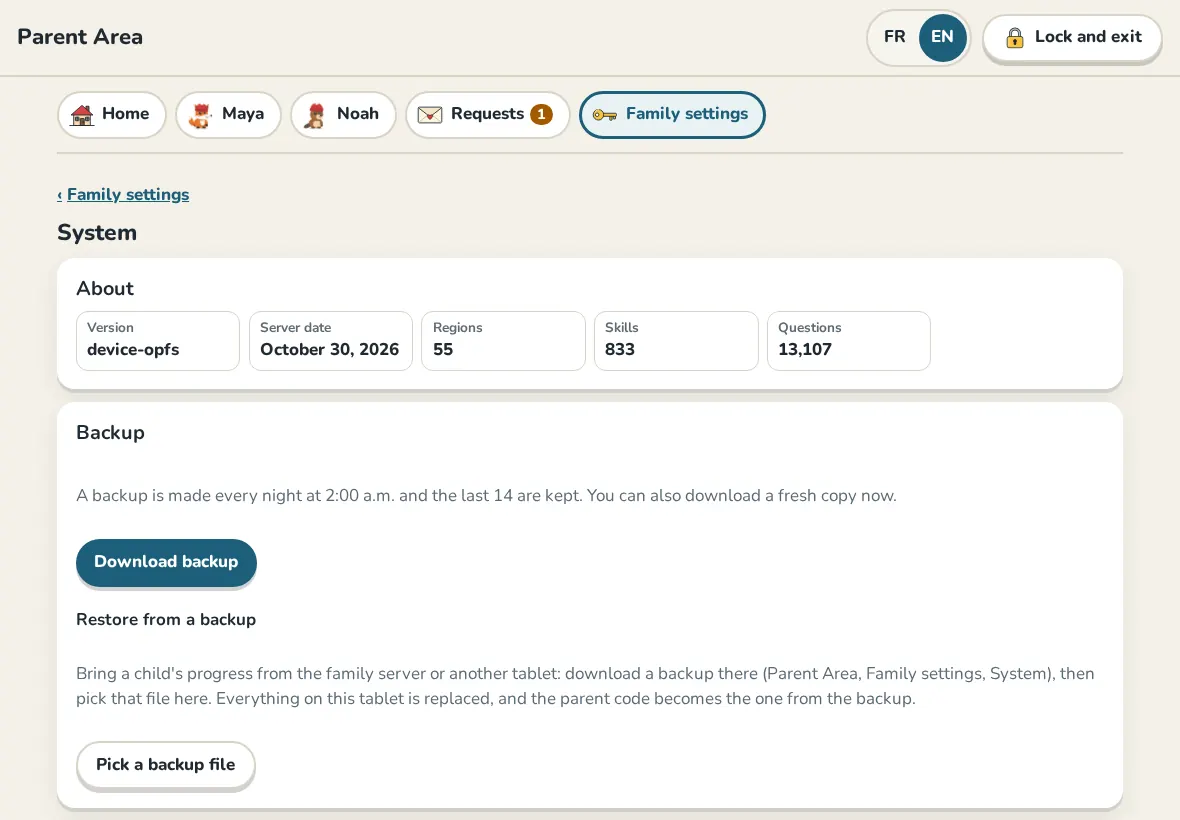
In the Parent Area, Family settings, System, tap Download backup to save a copy of everything on this device. Restore from a backup puts a backup back on a device; it replaces what is there.
With Family link on, your other devices also keep a copy, and the family code brings everything back on a new device.
Reset this device
Reset this device, at the bottom of System, starts the app over as if it was just installed. Every child, all progress, points, settings and the Parent Code on this device are deleted. The device leaves the family link, and teacher links end unless another device in your family still uses them. The app offers a backup first; you type a word and the Parent Code to confirm.
Delete the family link
In Family link, Delete the family link deletes your family's copy from our server for every device. Your devices keep their children and progress and stop syncing.
Uninstalling
Uninstalling the app deletes everything on that device, but it does not reach our server. Use Reset this device or Delete the family link first if you want the copy there deleted too. Read more in the privacy policy.
Still need help?
Write to us at hello@allolou.com and tell us what you tried. A screenshot helps.