 Allô Lou
Get started
Install the app
Allô Lou runs on Android tablets and phones (from Google Play) and on iPad and iPhone (from the App Store). There is no account to create and nobody signs up: everything starts on your device.
The welcome screen
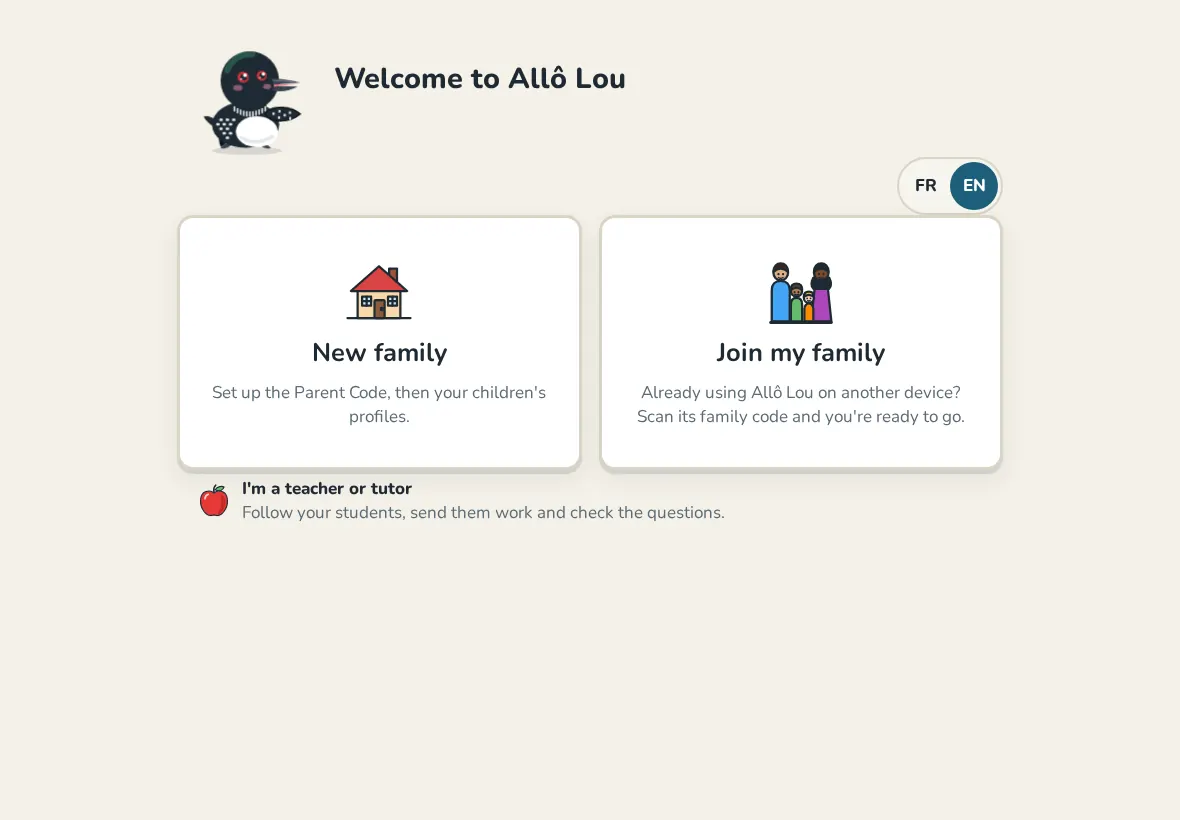
The first time you open the app, you choose between New family and Join my family. Pick New family on your first device. Use Join my family on a second tablet or phone once the first one is set up (see Family link).
The language switch at the top right changes the app between French and English at any time.
Create the Parent Code
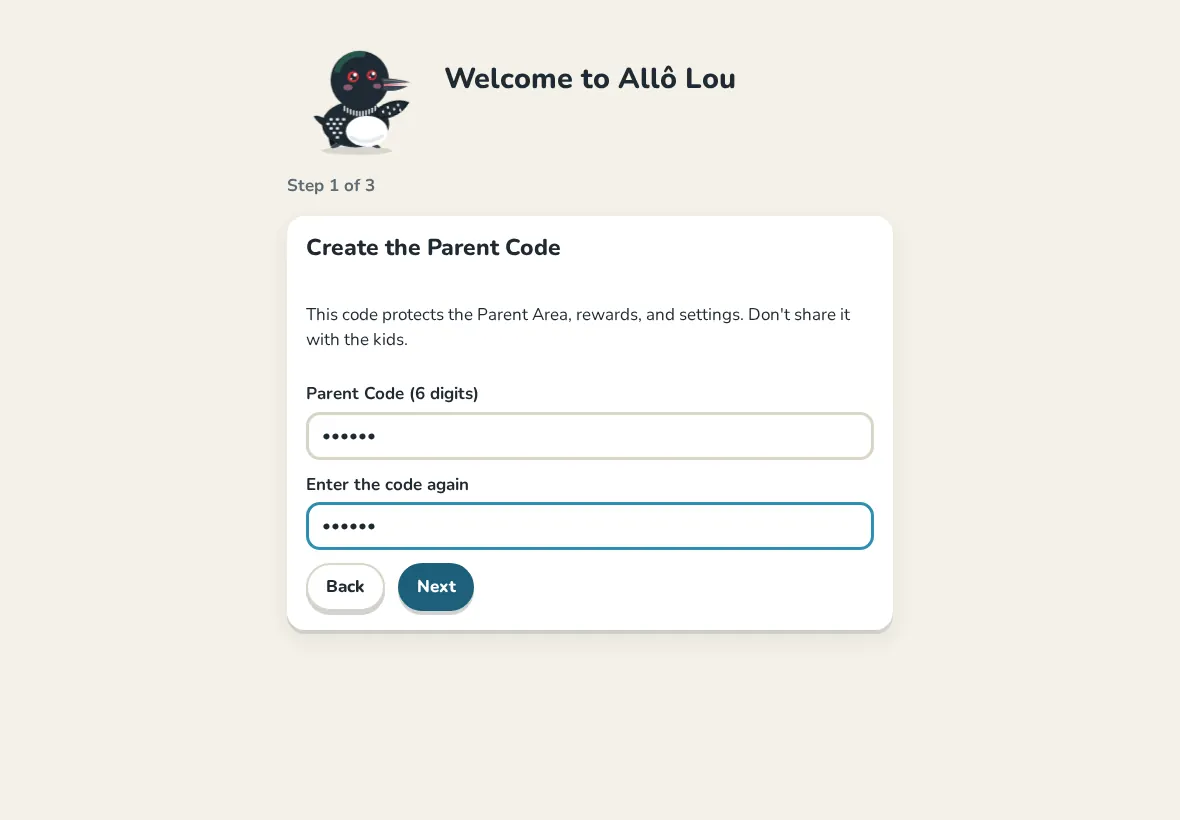
- Choose a 6 digit code and type it twice.
- Keep it away from the children. It opens the Parent Area, approves rewards and protects your settings.
School days and the piggy bank
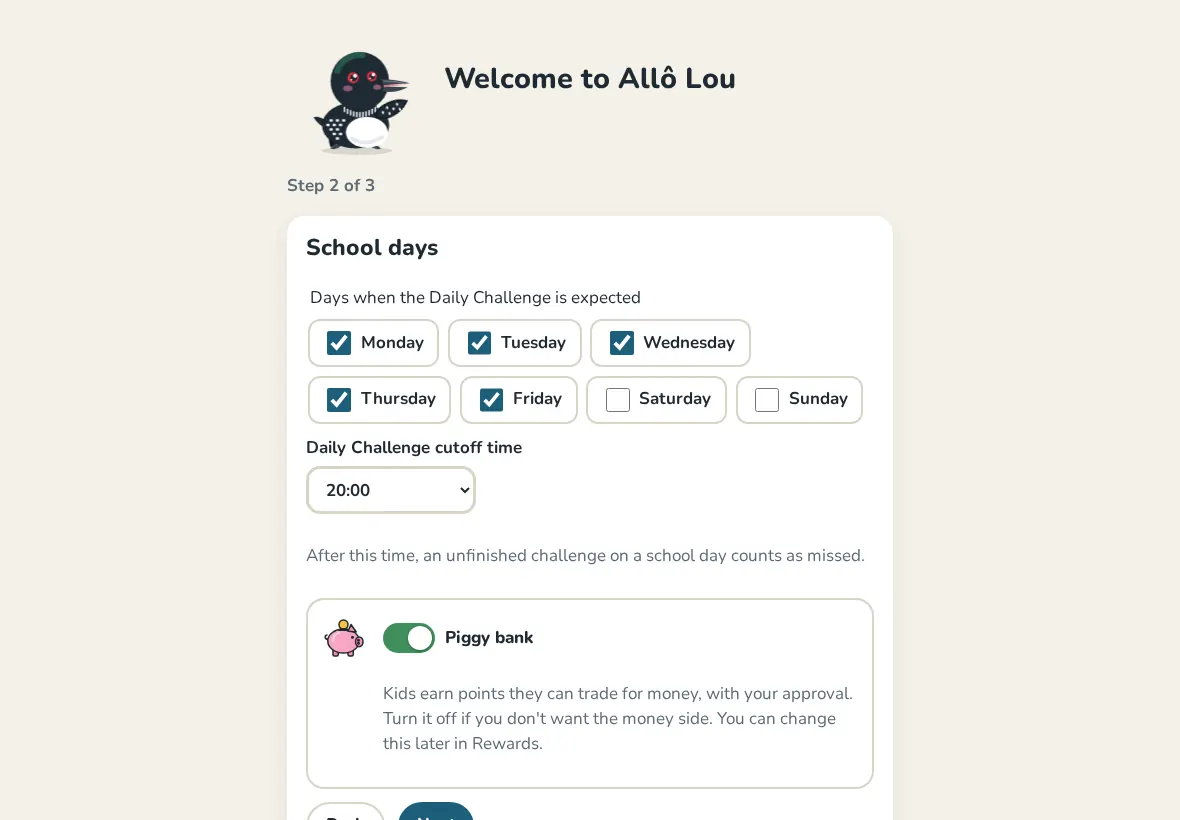
Next, tick your children's School days and set the Daily Challenge cutoff time. On a school day, the Daily Challenge is expected before that time.
The Piggy bank switch decides if points can be traded for pocket money. Turn it off if you only want stars, feathers and pinecones: everything about money is then hidden, points included. You can change it later in the Parent Area.
Add your children
You can create the first child's profile right away, or choose Later and let your children make their own from the home screen. See Add and manage children.
Still need help?
Write to us at hello@allolou.com and tell us what you tried. A screenshot helps.