 Allô Lou
Points, rewards and the piggy bank
Points
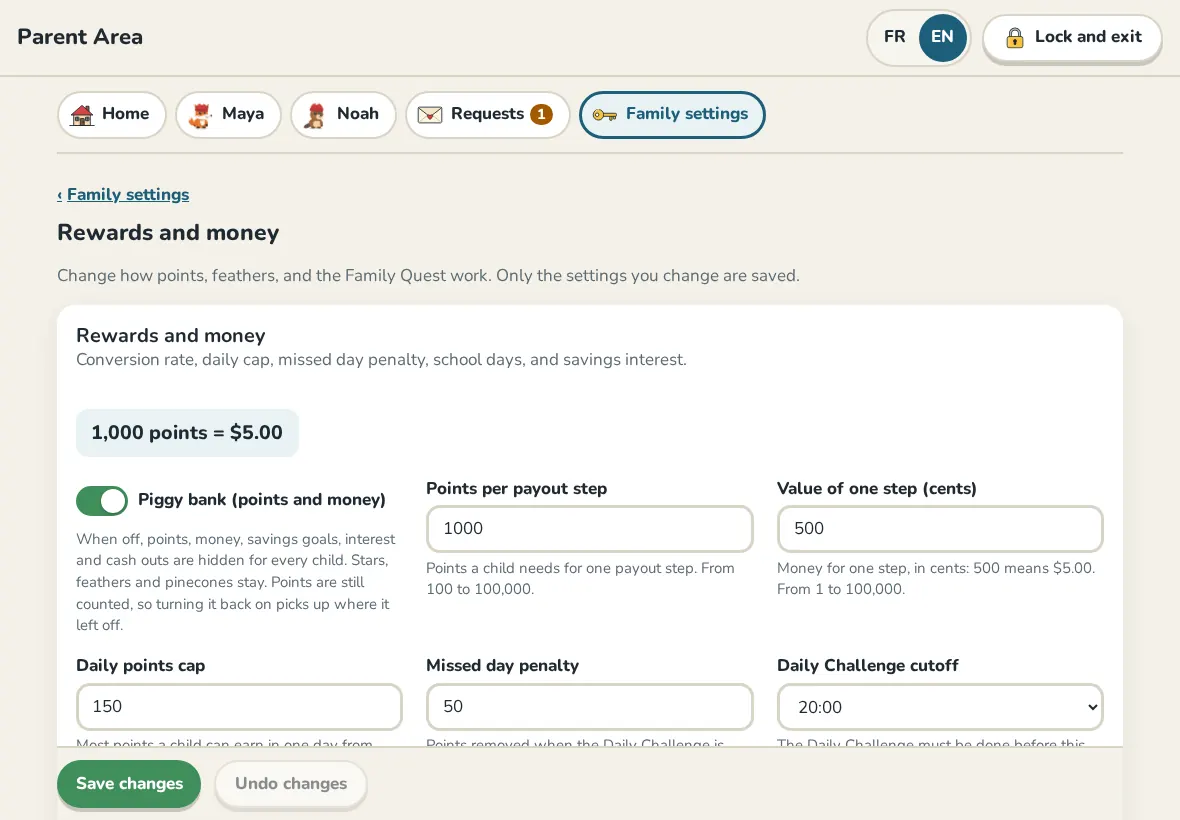
Children earn points for finishing levels, stars, mastered skills, the Daily Challenge, quests and approved missions. In Family settings, Rewards and money sets how many points each one gives and the Daily points cap.
Trading points for money
- Points per payout step and Value of one step (cents) decide what points are worth.
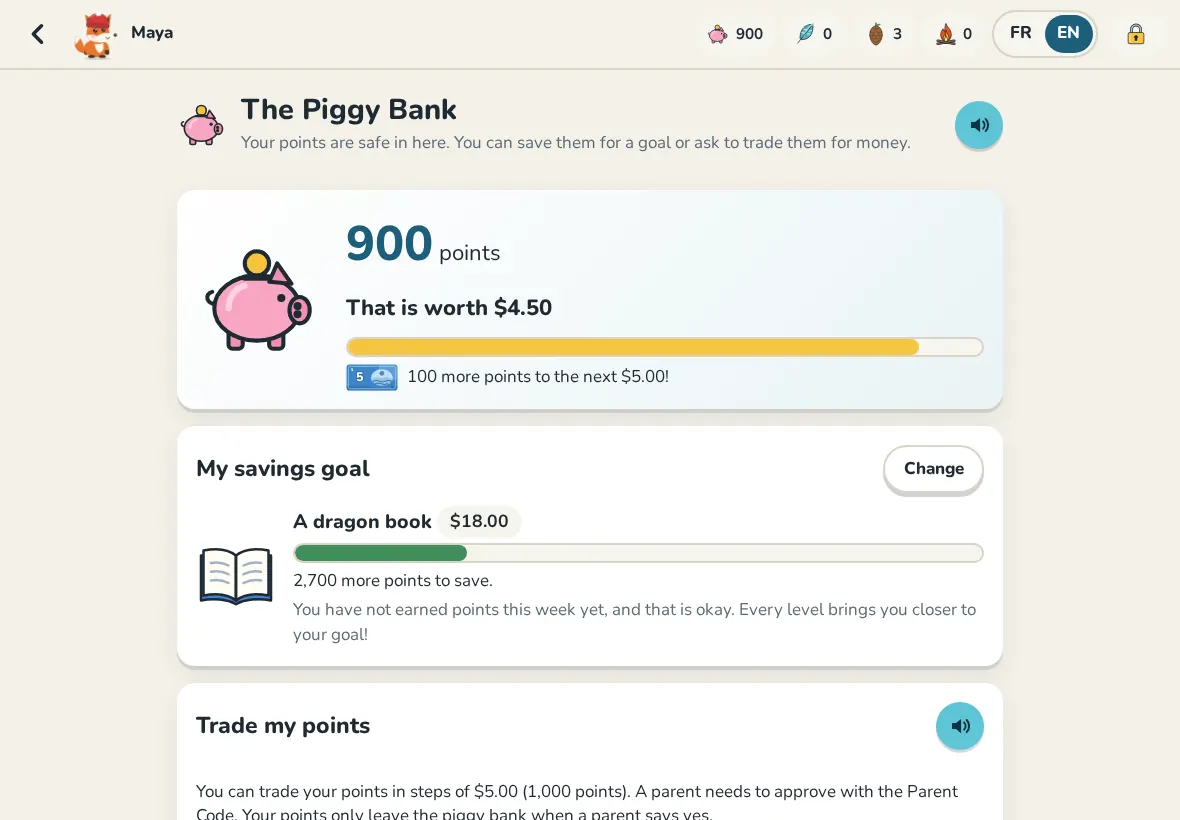
- Your child opens their piggy bank and asks to trade points. Nothing happens until a parent says yes.
- In Requests, Approve takes the points from the piggy bank. When you hand over the money, tap Mark as paid.
- Weekly savings interest adds a few points every week to points left in the piggy bank, to reward saving.
No money side
If the piggy bank switch is off, everything about money and points is hidden. Children still collect stars, feathers for their avatar and cabin, and pinecones from the bonus games.
Feathers and the Family Quest
Feathers buy items for the avatar and the cabin. The Family Quest is a weekly goal everyone plays toward together, with a reward you write yourself.
Fix a balance
On a child's page, Settings, Adjust points adds or removes points with a reason. Every change is in the activity log.
Still need help?
Write to us at hello@allolou.com and tell us what you tried. A screenshot helps.