 Allô Lou
Screen time and days off
Screen time
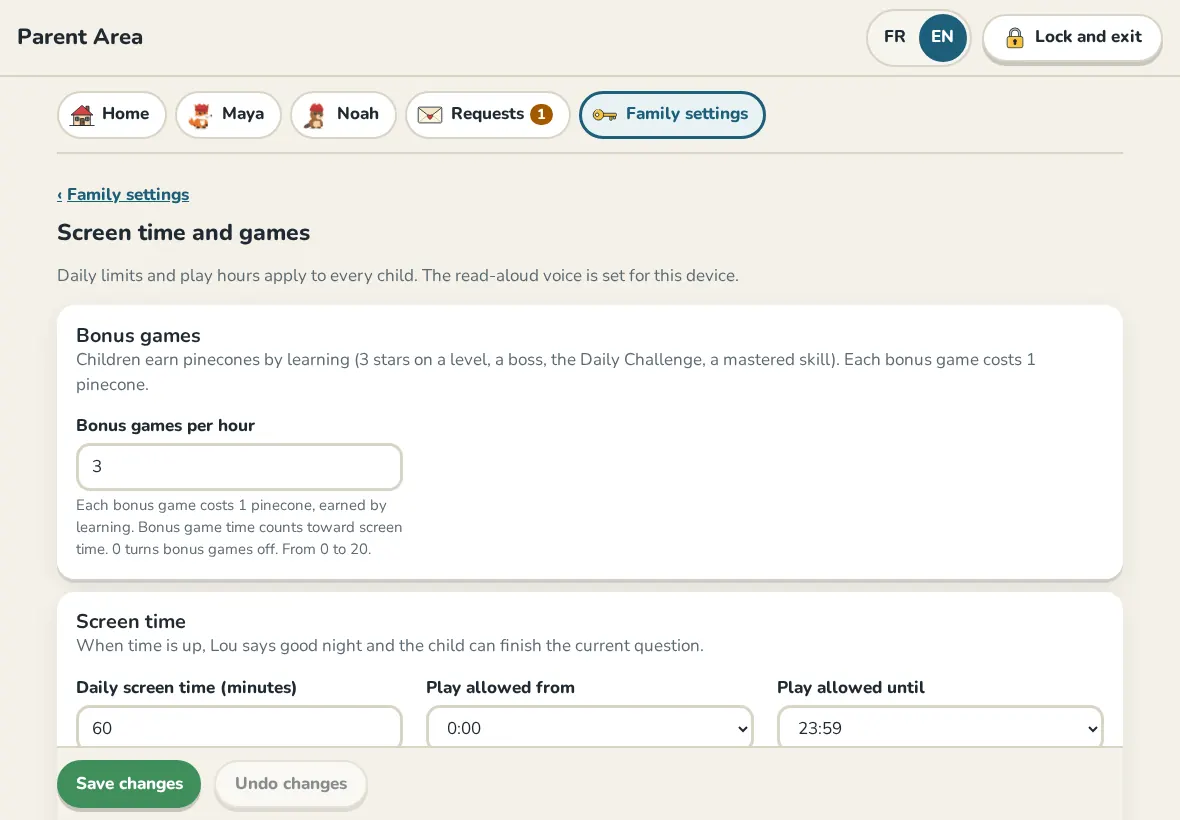
In Family settings, open Screen time and games. These limits apply to every child:
- Daily screen time (minutes): when it is used up, the app says goodnight until tomorrow.
- Play allowed from and Play allowed until: outside these hours the app does not open for the children.
- Bonus games per hour and Arcade time (minutes per day): the arcade opens after the Daily Challenge; 0 turns it off.
- Levels for each play break, Play break length (minutes) and Play break time per day (minutes): short mini-game breaks earned by learning.
The read-aloud voice settings on this page are for this device only.
Days off
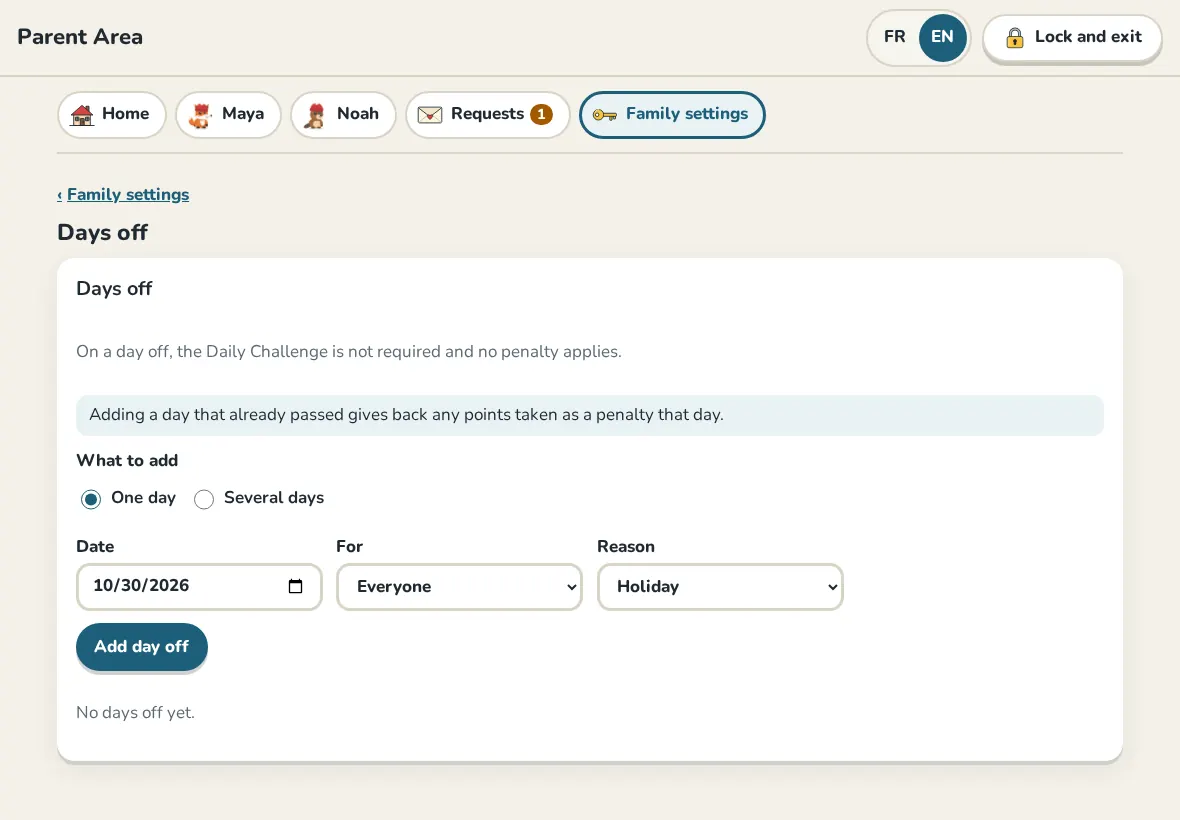
On a day off, the Daily Challenge is not required and nobody loses points or their streak. Open Days off, choose One day or Several days, who it is for and a reason (Sick, Holiday, Trip, PA Day), then tap Add day off.
Adding a day that already passed gives back any points taken that day.
Still need help?
Write to us at hello@allolou.com and tell us what you tried. A screenshot helps.